WP SSH Backup
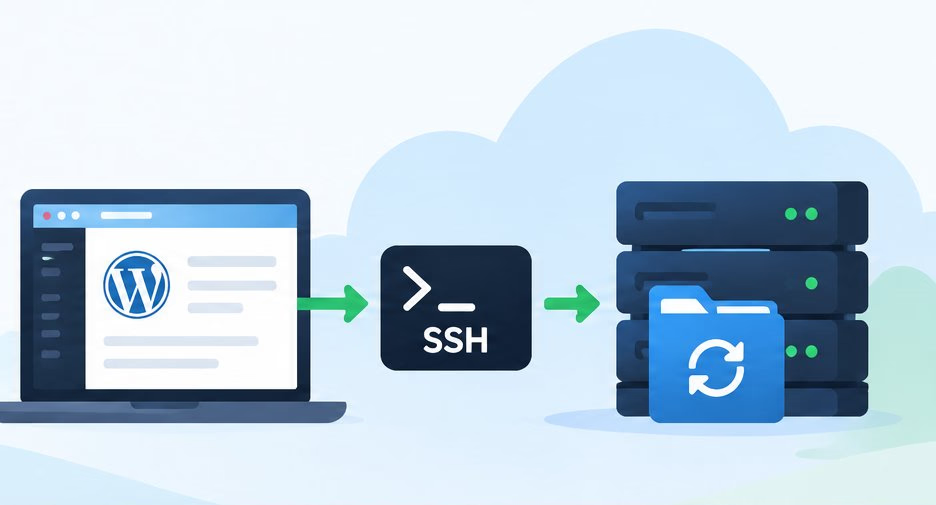
Automated, secure, and reliable backups for your WordPress site — files and database, straight over SSH, verified byte for byte.
- Full site backups
- Over SSH
- Open source
No Python required — standalone binaries for Linux, Windows and macOS. Released 1 November 2026.
-
Secure
Uses SSH for encrypted transfers.
-
Automated
Set it and forget it.
-
Complete
Backs up your database, files, and more.
-
Open Source
Free to use, extend, and improve.
Features
A backup tool that assumes the network is hostile
Most backup scripts trust the transfer and hope for the best. WP SSH Backup verifies what it downloaded, refuses untrusted servers, and never overwrites a good backup with a bad one.
-
Files and database, over SSH
One run packs your WordPress root into a gzip tarball and dumps the database — with WP-CLI when it is available, otherwise mysqldump.
-
Verified, not just downloaded
SHA-256 checksums are generated on the server and re-verified locally. A transfer that fails verification is never published as a backup.
-
Host keys are pinned
Servers whose host key is not already trusted are rejected outright. No silent first-use acceptance, so a man-in-the-middle cannot harvest your credentials.
-
Atomic publication
Verified downloads are published under their final names with a no-replace operation, so a concurrent run or a local attacker can never overwrite a good backup.
-
Retention that prunes itself
Set RETENTION_DAYS and old backup sets are removed after each successful run. Set it to 0 to keep everything.
-
Restore in one command
Pick the newest set containing what you need, or name a specific backup id. Archives are validated member by member before anything is extracted.
How it works
Four steps, no surprises
Every run follows the same path. If any step fails, the run fails loudly and nothing half-verified is ever published as a backup.
-
01
Stage on the server
A uniquely named staging directory is created as a sibling of your site root, so concurrent runs never collide.
-
02
Dump and pack
The database is exported and the site root is tarred, excluding the staging directory and wp-content/cache.
-
03
Verify checksums
SHA-256 manifests are produced remotely, the artifacts are downloaded as .part files, and every digest is re-checked locally.
-
04
Publish atomically
Only verified files are linked into place under their final names. Staging is cleaned up; retention then prunes old sets.
Backups are named
wp-files-<id>.tar.gz
and
wp-db-<id>.tar.gz,
where the id is a UTC timestamp plus a random suffix — so two runs in the same
minute can never overwrite each other.
Quick start
Running in under five minutes
Grab a standalone binary and skip Python entirely, or run it from a source checkout. Either way, authorise your server's host key first — WP SSH Backup refuses servers it has not been told to trust.
# 1. Download the binary for your platform from the releases page
#    https://github.com/robpomeroy/wp_ssh_backup/releases

# 2. Make it executable (Linux and macOS)
$ chmod +x wp-ssh-backup-linux-x64

# 3. Put your .env next to the binary, then authorise the server's host key
$ ./wp-ssh-backup-authorize-host-linux-x64

# 4. Take your first backup
$ ./wp-ssh-backup-linux-x64 --all
What you need
- SSH access to your WordPress host, ideally with key authentication.
- GNU tar, gzip and sha256sum on the server — standard on virtually every Linux host.
- WP-CLI or mysqldump for database backups.
- A
.envfile — the binary looks in the working directory first, then beside itself.
Configuration
One small .env
Everything is configured in a single file. No database, no daemon, no web interface to secure.
Full configuration reference| Setting | Description |
|---|---|
| SSH_HOST | Hostname or IP address of the hosting server. |
| SSH_PORT | SSH port (usually 22). |
| SSH_USER | SSH user to log in as. |
| SSH_KEY_PATH | Path to a private key. Leave empty to use your SSH agent. |
| SSH_PASSWORD | Optional password authentication. Prefer keys. |
| SSH_KNOWN_HOSTS | Optional known_hosts file. Defaults to ~/.ssh/known_hosts. |
| WP_SITE_ROOT | Absolute path to the WordPress root on the server. |
| WP_CLI_PATH | Optional explicit path to wp if it is not on the remote PATH. |
| BACKUP_DIR | Local directory where backups are stored. |
| RETENTION_DAYS | Delete local sets older than this many days (0 disables). |
Security
Built for a hostile network
A backup contains your entire site and its database credentials. WP SSH Backup treats that as the threat it is.
-
Unknown host keys are rejected
Never silently accepted. Authorise a server explicitly with authorize_host.py, which shows its SHA-256 fingerprint for you to verify out-of-band.
-
Credentials never hit the command line
Database passwords are passed through a temporary option file created owner-only (0600) on the server, then deleted immediately after the dump.
-
Restore validates before it writes
Archive members are checked against the local copy, and the existing tree is audited for links that extraction would traverse or replace.
FAQ
Questions, answered
Do I need Python installed?
No. Every release ships standalone executables for Linux x86-64, Windows x86-64, macOS Apple silicon and macOS Intel. Download the file for your platform, make it executable and run it. If you prefer, you can still run it from a source checkout with Python 3.10 or later.
Which hosts does it work with?
Any host that gives you SSH access and has GNU tar, gzip and sha256sum — which is virtually every Linux host. For database backups you also need WP-CLI or mysqldump. Restore specifically requires GNU tar, because it validates archive members with tar --quoting-style=shell-always.
Why does macOS say the app cannot be opened?
The macOS binaries are not signed or notarised, because the project has no Apple Developer account. Gatekeeper blocks them on first run. Right-click the file in Finder and choose Open, or run xattr -d com.apple.quarantine on it. The binary itself is an unmodified PyInstaller build.
What exactly does restore overwrite?
Restoring replaces the current site files and imports the database. Take a fresh backup immediately beforehand if you might need to roll back. Before extracting, restore audits the existing tree for symlinks and hard links that extraction would traverse or replace, and refuses rather than writing outside the site root.
Is there a web interface?
No. WP SSH Backup is a command-line tool, designed to be scheduled with cron or Task Scheduler. That keeps it small, auditable and easy to run on a server with no extra services to maintain.
How is it licensed?
GNU General Public License v3. You are free to use, study, modify and redistribute it. Contributions are welcome via pull request.
Something else? Open an issue on GitHub.
Download
Get WP SSH Backup v1.0.0
Standalone executables — no Python installation needed. Each release also
publishes .sha256 files so you can verify
a download before running it.
Licensed under the GPLv3. Free to use, extend and redistribute.
- Linux x86-64
glibc 2.28+ (Debian 10, Ubuntu 20.04 or later)
Download .sha256 - Windows x86-64
Windows 10 or later
Download - macOS Apple silicon
macOS 11 or later
Download .sha256 - macOS Intel
macOS 10.15 or later
Download .sha256
# Linux
$ sha256sum --check wp-ssh-backup-linux-x64.sha256

# macOS
$ shasum -a 256 --check wp-ssh-backup-macos-arm64.sha256

# Windows
> certutil -hashfile wp-ssh-backup-windows-x64.exe SHA256
Also in every release
-
wp-ssh-backup-restore
Restore files and database from a backup set
-
wp-ssh-backup-authorize-host
Fetch and record a server host key